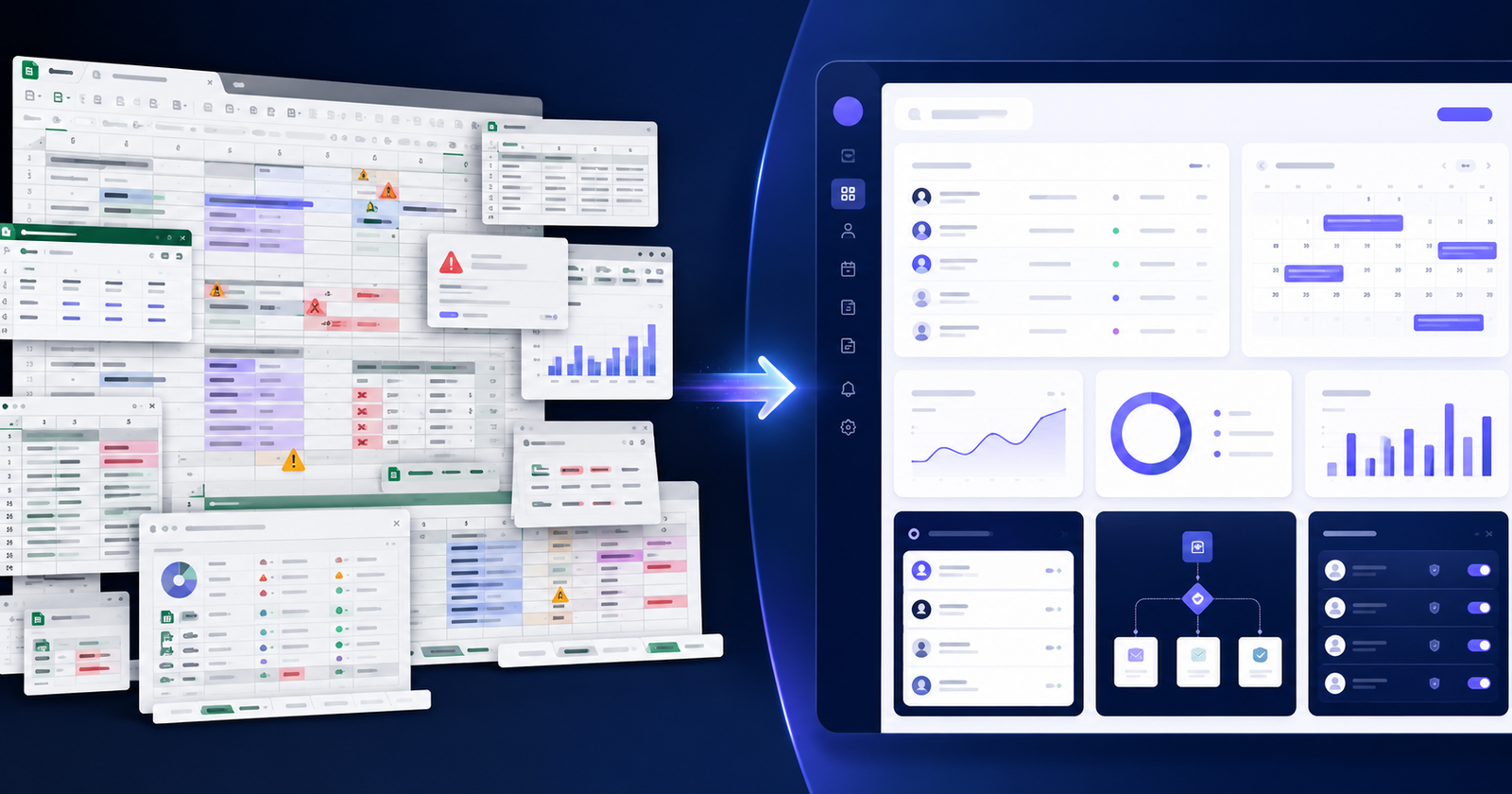

Running a small business often feels like doing ten jobs at once. You reply to the same customer questions every day, chase leads that go cold, copy data from forms into spreadsheets, follow up on unpaid invoices, and try to keep up with sales — all while the actual work still needs to get done. When the team is small, repetitive tasks quietly eat the hours you could spend growing the business.
AI automation for small businesses means using artificial intelligence to handle repetitive, time-consuming, or data-heavy tasks such as customer support, lead follow-ups, email replies, document processing, appointment booking, sales workflows, and reporting. Instead of hiring more people for routine admin, you let software handle the predictable parts so your team focuses on the work that actually needs a human.
This guide is written for real business owners, not engineers. Below you'll find a plain-English explanation of what AI automation is, 15 practical use cases you can apply today, industry examples, honest cost and time expectations, and a simple way to get started.
What Is AI Automation for Small Businesses?

AI automation is the combination of two things: automation (software doing a task without you clicking every button) and artificial intelligence (software that can read, understand, and make simple decisions based on the input).
Traditional automation follows fixed rules. If X happens, do Y. It works well for predictable tasks but breaks the moment something unusual comes in. AI automation adds a layer of understanding on top. It can read a messy email, understand what the customer wants, pull the right information, and respond in natural language — without a rule for every possible situation.
Tasks AI can automate for a small business include: answering common customer questions, sorting and replying to emails, reading invoices and contracts, updating your CRM, recommending products, sending follow-up messages, generating reports, and moving data between the tools you already use.
Traditional Automation vs AI Automation
| Feature | Traditional Automation | AI Automation |
|---|---|---|
| Decision making | Follows fixed if-then rules | Understands context and makes simple judgments |
| Customer communication | Sends templated, identical messages | Writes personalized, natural replies |
| Document handling | Needs a fixed format to work | Reads varied invoices, PDFs, and forms |
| Flexibility | Breaks when input changes | Adapts to new or unexpected inputs |
| Best use case | Simple, repetitive, predictable steps | Tasks needing reading, understanding, or writing |
In short: traditional automation is great for the predictable, and AI automation handles the messy middle where human-like understanding is needed.
Why Small Businesses Should Care About AI Automation
Large companies have entire departments for admin. Small businesses don't — which is exactly why automation matters more for you, not less. The benefits are practical and add up quickly:
- Saves time by removing repetitive daily tasks.
- Reduces operating costs by cutting wasted manual hours.
- Improves customer response time, so leads don't go cold.
- Captures more leads by replying instantly, even after hours.
- Reduces human error in data entry and follow-ups.
- Improves sales follow-up so no opportunity slips through.
- Helps small teams do more without burning out.
- Creates a better customer experience with faster, consistent service.
- Makes reporting easier with automatic summaries instead of manual spreadsheets.
One important point: AI automation does not always replace employees. In most small businesses, it removes the boring, repetitive parts of a job so your team can spend time on customers, strategy, and work that genuinely needs a person. Think of it as giving your existing team more hours in the day.
15 Practical AI Automation Ideas for Small Businesses

Here are 15 real, usable AI automation use cases. Each one includes what it does, how it saves time or money, how it can help sales, and a quick example.
1. AI Website Chatbot for Customer Support and Lead Capture
An AI chatbot on your website answers common questions instantly, collects visitor details, qualifies leads, and points people to the right service or product. Unlike an old scripted bot, it understands natural questions and replies in plain language.
Saves time by handling routine questions your team answers over and over. Reduces cost by covering after-hours enquiries without extra staff. Increases sales by capturing leads at the exact moment interest is highest. A service business can pre-qualify enquiries, an e-commerce store can answer product and shipping questions, a real estate site can capture buyer preferences, a clinic can share opening hours and booking links, and an agency can route project enquiries to the right person.
2. Automated Lead Qualification and CRM Updates
Leads arrive from website forms, WhatsApp, email, and ads — often scattered across places. AI can capture every lead, score it based on your criteria (budget, intent, location, service needed), and update your CRM automatically.
This is core CRM automation: no more manual copying, no missed enquiries, and your sales team sees the hottest leads first. Lead scoring means your team spends time on people ready to buy instead of tyre-kickers, which lifts close rates without adding hours.
3. AI Email Reply and Follow-Up Automation
AI email automation can draft replies, personalize responses, and send timed follow-ups so opportunities don't get forgotten. It reads the incoming message, understands the request, and prepares a suitable response for a human to approve or send.
Example: A customer emails asking for pricing. AI drafts a clear, personalized reply with your package options and notifies your sales team to follow up. Instead of a reply taking hours, it takes minutes — and the follow-up nudge two days later happens automatically.
4. Appointment Booking and Calendar Automation
AI-assisted booking lets customers schedule calls or visits, sends automatic reminders, reduces no-shows, and syncs everything with your calendar. It can answer "are you available Thursday?" type questions and offer real open slots.
This is ideal for clinics, consultants, salons, agencies, and service providers where missed appointments directly cost money. Automatic reminders by email, SMS, or WhatsApp keep your calendar full and your day organized.
5. AI Document Processing and Data Extraction
AI document processing reads invoices, receipts, forms, PDFs, contracts, and customer documents, then extracts the important fields into a spreadsheet, CRM, or database. Instead of typing details by hand, the data flows in automatically.
For any business drowning in paperwork — accounts, logistics, admin-heavy services — this removes hours of manual entry and cuts typing errors. It's one of the highest-time-saving use cases for document-heavy teams.
6. E-commerce Product Recommendation Automation
Online stores, including Shopify shops, can use AI to recommend products based on browsing behavior, past purchases, and customer preferences. Shoppers see items they're actually likely to want.
This drives upselling ("complete the set") and cross-selling ("customers also bought"), lifting average order value without extra ad spend. The recommendations update automatically as customer behavior changes.
7. Abandoned Cart Recovery Automation
Most online shoppers add items and leave without buying. AI can send personalized abandoned cart reminders by email, WhatsApp, or SMS — referencing the exact product left behind and, when appropriate, a gentle incentive.
Because the message is timely and relevant, recovered carts turn into real sales you would otherwise have lost. For e-commerce stores, this is often one of the fastest ways to increase conversion rate from traffic you already paid for.
8. AI-Powered Customer Support Ticket Routing
When support requests come in, AI can read each one, categorize it, set a priority, route it to the right team member, and even suggest a draft reply. Urgent issues get flagged instead of sitting in a shared inbox.
This means faster resolution, less time spent sorting tickets, and a more consistent customer experience — especially valuable when one or two people handle all support.
9. Social Media Content Planning and Caption Generation
AI can generate content ideas, write caption drafts, suggest hashtags, and propose a posting schedule tailored to your business. It removes the "blank page" problem that stalls most small business social media.
Important: human review still matters. AI gives you a strong first draft and a full month of ideas; you add your brand voice and judgment before anything goes live. The result is consistent posting without spending your evenings on it.
10. AI Sales Proposal and Quotation Generation
AI can create draft proposals, quotes, estimates, and service packages based on a customer's requirements. You feed in the scope; it produces a structured, professional first draft.
Example: A web development agency receives an enquiry for an online store. AI drafts a proposal outlining scope, timeline, and pricing tiers. The same works for a construction company sizing a job, a digital agency scoping a retainer, or any service provider. You review and send in minutes instead of hours.
11. Internal Knowledge Base Assistant
You can build an AI assistant trained on your own internal documents — FAQs, SOPs, policies, product details, and service information. Staff simply ask it a question and get an accurate, sourced answer.
This speeds up employee onboarding (new hires find answers without interrupting others) and helps support teams reply consistently. Everyone works from the same up-to-date information instead of hunting through folders and old chat threads.
12. AI Reporting and Business Insights
AI can summarize your sales, leads, website traffic, inventory, customer behavior, and monthly performance into plain-language reports and dashboards. Instead of building spreadsheets, you get a clear summary of what happened and what changed.
Automated weekly or monthly reports mean you always know your numbers without spending a weekend on them — and you spot problems early, while there's still time to act.
13. Invoice, Payment, and Reminder Automation
Automation can send invoices, chase overdue payments with polite reminders, and update payment status automatically. AI can personalize the tone and timing so reminders feel professional, not pushy.
For small businesses, late payments hurt cash flow. Automatic, consistent follow-ups get invoices paid sooner without the awkward manual chasing that owners tend to avoid.
14. Review and Feedback Automation
After a purchase or completed service, automation can request a review at the right moment, collect feedback, and use AI to analyze the responses. It surfaces patterns — what customers love and where they're unhappy.
More reviews build trust and improve local visibility, while early feedback analysis helps you fix satisfaction issues before they cost you repeat business.
15. Workflow Automation Between Business Tools

Most of your time is lost between tools — moving data from a form to a CRM, from a CRM to email, from a store to a spreadsheet. Workflow automation connects your website forms, CRM, email, Google Sheets, Shopify, WordPress, Laravel apps, WhatsApp, Slack, calendars, and project management tools so data flows automatically.
This is where API integrations and custom automation shine: your systems talk to each other, nothing is entered twice, and a new lead can trigger a whole chain of actions on its own. It ties all the use cases above into one connected system.
Not sure which of these fits your business first? A short conversation about your daily tasks usually reveals the one or two workflows worth automating first.
Best AI Automation Examples by Industry

| Industry | AI Automation Example | Business Benefit |
|---|---|---|
| E-commerce | Product recommendations + abandoned cart recovery | Higher order value and recovered sales |
| Real estate | Chatbot capturing buyer preferences + auto CRM updates | More qualified leads, faster follow-up |
| Healthcare clinics | Appointment booking + reminders + FAQ chatbot | Fewer no-shows, less front-desk load |
| Digital agencies | Proposal drafting + lead scoring | Faster quotes, focus on ready buyers |
| Education/training | Knowledge base assistant + enrollment follow-ups | Better student support, fewer drop-offs |
| Restaurants | Reservation booking + review requests | Full tables, stronger online reputation |
| Local service businesses | Instant enquiry replies + booking automation | Captured leads even after hours |
| B2B companies | Lead qualification + email follow-up sequences | Shorter sales cycle, no missed leads |
| Automotive parts stores | Document/invoice processing + stock reports | Less manual entry, clearer inventory |
| Consultants | Calendar booking + AI reporting + proposals | More billable time, less admin |
How AI Automation Saves Time
Time savings come from removing the small tasks that repeat all day:
- Less manual data entry — data moves between tools on its own.
- Faster customer replies — common questions are answered instantly.
- Automatic follow-ups — reminders send themselves on schedule.
- Auto-generated reports — no manual spreadsheet building.
- Fewer repetitive tasks — the predictable work runs in the background.
A simple example: Before automation, a business owner spends around two hours a day answering the same handful of customer questions. After setting up an AI chatbot, those common questions are handled automatically, and the owner only steps in for serious, high-value enquiries — reclaiming most of that time for work that actually moves the business forward.
How AI Automation Reduces Cost
Cost savings are real, but they should be understood honestly. AI automation reduces cost by:
- Cutting manual hours spent on repetitive admin.
- Reducing errors that are expensive to fix later.
- Getting more from existing staff instead of hiring for routine work.
- Speeding up workflows so tasks finish faster.
- Lowering dependency on manual admin as you grow.
The honest picture: automation rarely means firing people. It usually means your current team handles more without extra hires, and you avoid the cost of adding headcount every time volume increases. Savings depend on how much repetitive work you have — some businesses save a little, others save a lot. Be practical and measure it rather than expecting a fixed number.
How AI Automation Increases Sales
Faster, smarter processes turn more visitors into customers. AI sales automation helps by:
- Faster response time — replying in minutes keeps leads warm.
- Better lead follow-up — no enquiry is forgotten.
- Personalized recommendations — customers see what they actually want.
- Abandoned cart recovery — lost sales are won back.
- Lead scoring — your team focuses on people ready to buy.
- Better customer experience — consistent, helpful service builds trust and repeat business.
The pattern is simple: most sales are lost to slow replies and dropped follow-ups. Automation closes those gaps.
AI Automation vs Hiring More Staff
| Factor | Hiring More Staff | AI Automation |
|---|---|---|
| Cost | Ongoing salary + overheads | Setup cost, then low running cost |
| Speed | Depends on workload and hours | Instant, works in seconds |
| Availability | Working hours only | 24/7, including nights and weekends |
| Scalability | Slow — hire and train each time | Scales instantly with volume |
| Best for | Judgment, relationships, complex work | Repetitive, predictable, high-volume tasks |
| Limitations | Human capacity and cost | Needs human oversight and good setup |
This is not an either/or choice. AI automation is not a full replacement for good people — it supports your team by removing repetitive load, so the humans you do have can focus on customers, strategy, and growth. The smartest small businesses combine both.
How to Start AI Automation in Your Small Business
You don't need a big project. Start small and build up:
- Identify repetitive tasks — list what you and your team do over and over.
- Choose one high-impact workflow — pick the task that wastes the most time.
- Map your current process — write down each step as it happens now.
- Decide what should be automated — and what should stay human.
- Choose tools or custom development — ready-made or built to fit.
- Connect data sources and apps — link the tools you already use.
- Test with real cases — run it on genuine examples before going live.
- Monitor performance — check results in the first weeks.
- Improve over time — refine, then move on to the next workflow.
Starting with one workflow keeps it manageable and lets you prove the value before expanding.
Should You Use Ready-Made Tools or Custom AI Automation?
Both have their place — the right choice depends on your workflow.
Ready-made tools are good for:
- Simple, common workflows
- A limited budget
- Getting started quickly
Custom AI automation is better for:
- Complex, multi-step workflows
- A custom CRM or unique sales process
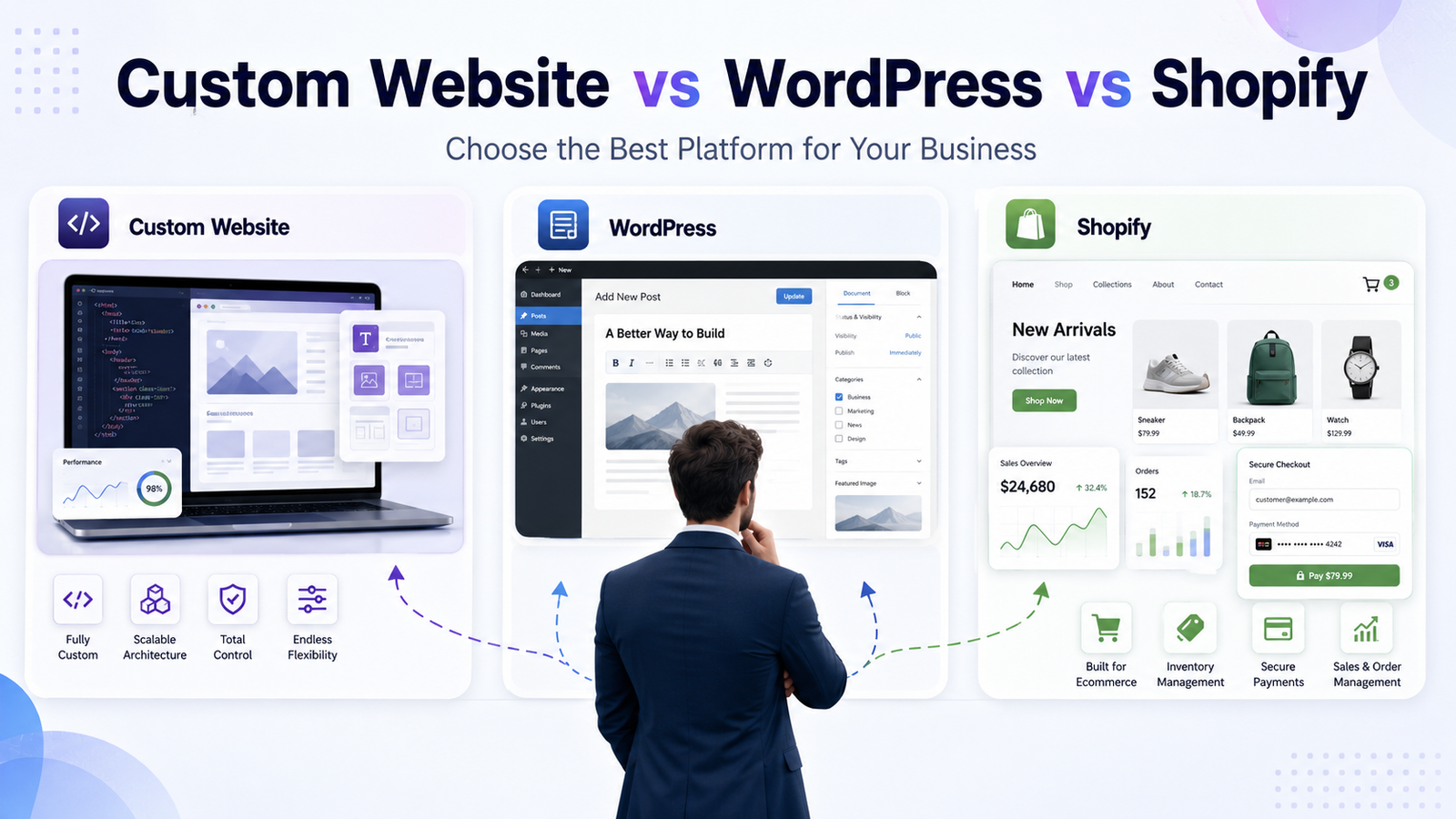
- Laravel apps, Shopify stores, and WordPress websites
- Data privacy and security needs
- Business processes that are unique to you
- Connecting several systems that don't talk to each other by default
Ready-made tools get you moving fast, but many small businesses hit a wall when their process doesn't fit a template. That's where custom development helps — and it's exactly the kind of work WebtrixCode builds: AI automation shaped around your actual workflow instead of forcing your business into someone else's tool.
How WebtrixCode Can Help With AI Automation
WebtrixCode is a web development and AI automation agency that builds custom automation around how your business actually works. Rather than a one-size-fits-all tool, we plan, build, and integrate a system that fits your workflow, your data, and your platforms.
We help small businesses with:
- AI chatbot development for support and lead capture
- CRM automation and lead scoring
- Website automation across your site and forms
- Shopify automation for online stores
- WordPress AI integrations
- Laravel AI integrations for custom apps
- API integrations connecting your tools
- AI document processing for invoices, forms, and contracts
- Workflow automation across your systems
- Custom dashboards and automated reporting
- Email and lead automation
If you want to automate repetitive tasks in your business, WebtrixCode can help you plan, build, and integrate a custom AI automation system that fits your workflow.
Common Mistakes to Avoid With AI Automation
Automation works best when it's done thoughtfully. Avoid these common mistakes:
- Automating without clear goals — automate a specific outcome, not "everything."
- Using AI without human review — keep a person checking important outputs.
- Ignoring data privacy — handle customer data securely and legally.
- Connecting too many tools too quickly — start small and expand.
- Not testing workflows — always trial with real cases first.
- Expecting AI to solve every problem — it handles the predictable, not everything.
- Not training staff — your team needs to understand the new process.
- Not tracking results — measure time and cost saved, or you won't know if it worked.
AI Automation Checklist for Small Businesses
Use this before you start:
- List your most repetitive daily and weekly tasks
- Pick one high-impact task to automate first
- Map the current process step by step
- Decide what stays human and what gets automated
- Check which tools you already use and how they connect
- Choose between ready-made tools and custom development
- Confirm how customer data will be kept secure
- Test the workflow with real examples
- Train your team on the new process
- Set a way to measure time and cost saved
- Monitor results for the first few weeks
- Improve, then automate the next workflow
Quick Summary
- AI automation for small businesses handles repetitive, data-heavy tasks like support, lead follow-up, document processing, booking, and reporting.
- The biggest benefits are saved time, lower costs, faster replies, more captured leads, and more sales.
- Practical use cases include AI chatbots, CRM automation, email follow-ups, abandoned cart recovery, document processing, and workflow automation across your tools.
- Ready-made tools suit simple needs; custom AI automation fits unique workflows, custom CRMs, and Shopify, WordPress, or Laravel platforms.
- AI automation supports teams rather than replacing them, letting small businesses grow without hiring for every routine task.
- The best way to start is to automate one high-impact workflow first, measure results, then expand.
- WebtrixCode builds custom AI automation — chatbots, CRM automation, API integrations, and document processing — around your existing workflow.
Conclusion

AI automation gives small businesses a realistic way to save time, reduce repetitive work, improve customer service, and support sales growth — without hiring for every routine task. It won't solve every problem, and it works best alongside good people, but for the predictable, time-draining parts of running a business, it's one of the most practical tools available today.
The smartest way forward is simple: don't try to automate everything at once. Start with one high-impact workflow, prove the value, and build from there.
Ready to automate your business workflows? Contact WebtrixCode to discuss a custom AI automation solution for your website, CRM, e-commerce store, or internal business process.