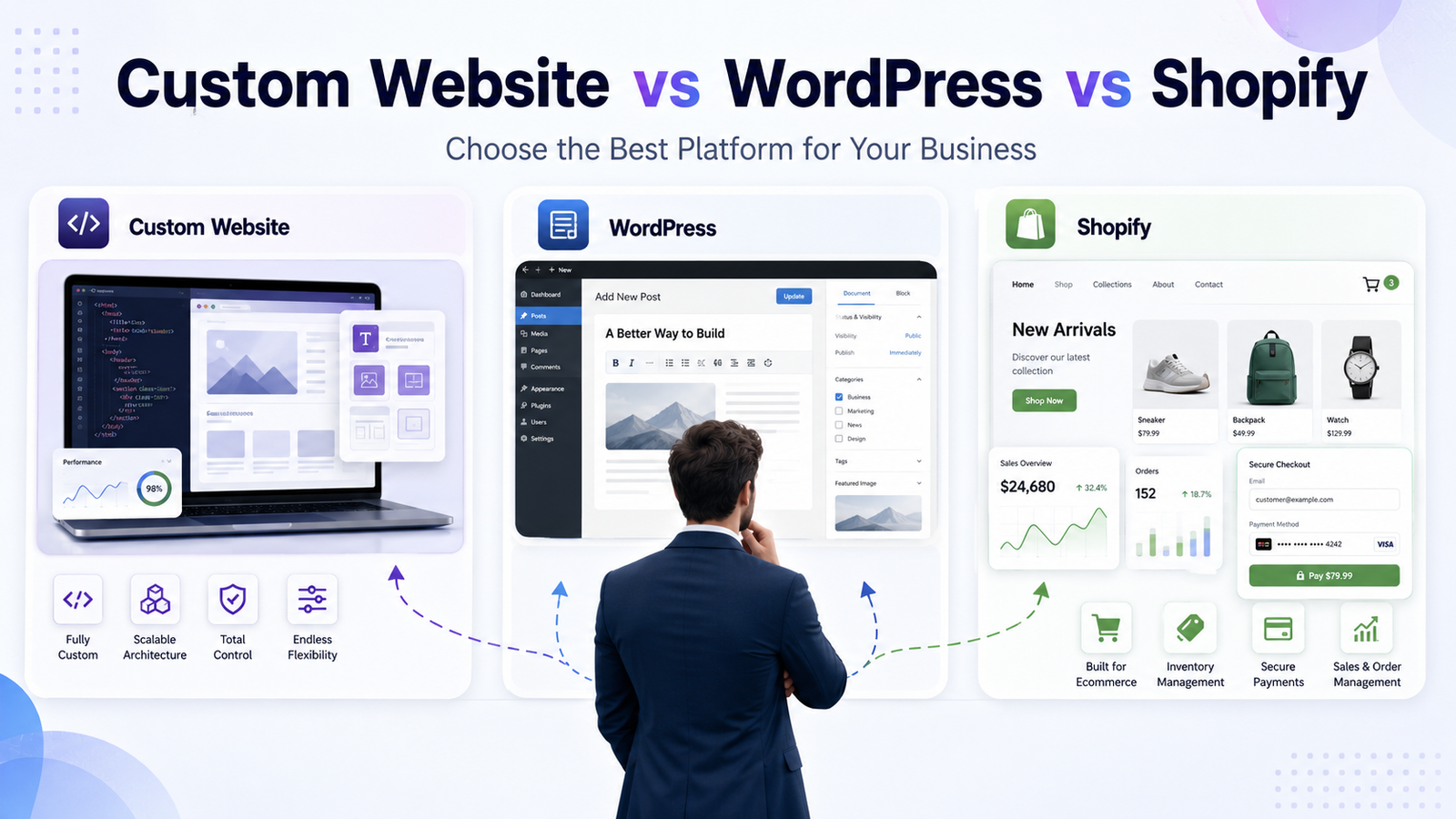
In the Custom Website vs WordPress vs Shopify debate, the right choice depends on what your website actually has to do.
- Choose a custom website if you need full control, unique features, custom workflows, and long-term scalability — think Laravel SaaS platforms, portals, dashboards, marketplaces, and booking systems.
- Choose WordPress if your site is content-driven — service businesses, blogs, corporate sites, portfolios, and lead-generation websites that need flexible page and content control.
- Choose Shopify if selling products online is the core of your business and you want a fast, secure, easy-to-manage store without managing servers or checkout code.
A simple rule: content → WordPress, WooCommerce, products → Shopify, custom logic → custom development.
Why This Decision Matters More Than People Think
Most business owners treat the platform decision like a formality. Pick something, get a designer, launch, move on.
Then, a year later, the problems show up. The site is slow. Adding one small feature needs three plugins. The checkout doesn't fit how they actually sell. SEO is stuck because the URL structure can't be changed. Or the "cheap" website now costs more to patch than it would have cost to build properly.
Your platform decides your ceiling. It shapes how fast you can ship changes, how much you pay every month, how well you rank, how secure you are, and how far you can grow before a rebuild becomes unavoidable.
The good news: this is not a hard decision once you understand what each option is genuinely built for. Let's go through all three, honestly — strengths, weaknesses, and who each one actually suits.
What Is a Custom Website?
A custom website is built from scratch — or on a development framework like Laravel, Next.js, or Node — instead of being assembled from pre-made templates and plugins.
Nothing is "borrowed" from a marketplace. The database, the pages, the user flows, the admin panel, the business rules — all of it is designed around how your business actually runs.
That makes custom development the right fit when your website isn't just a brochure, but a system.
Common examples:
- A real estate portal with map search, saved listings, agent dashboards, and lead routing.
- A SaaS dashboard with subscriptions, user roles, usage limits, and billing.
- A custom booking system where availability, staff schedules, and pricing rules are unique to the business.
- A business automation platform that connects a CRM, invoicing, inventory, and internal approvals in one place.
If you've ever said, "there's no plugin that does what we need" — that's the signal.
Pros of a Custom Website
- Built exactly to your requirements, with no unnecessary bloat.
- Complete ownership of the code, data, and roadmap.
- Excellent performance potential (clean code, no plugin overhead).
- Strong technical SEO control — URLs, schema, rendering, page speed.
- Scales with complex business logic rather than fighting it.
- Easier to integrate with ERPs, CRMs, payment gateways, and internal tools.
Cons of a Custom Website
- Higher upfront cost and longer development timeline.
- Requires a capable development team (not a one-person weekend build).
- You are responsible for hosting, updates, and security.
- Overkill for a simple 5-page brochure site.
What Is a WordPress Website?
WordPress is a content management system (CMS) — software that lets non-technical people publish and edit website content easily.
It's flexible, mature, and built around content. You install a theme for design, plugins for features, and manage everything from a dashboard. Because it's the most widely used CMS in the world, there is a plugin, tutorial, or developer available for almost anything.
WordPress suits businesses that need content control and moderate customization: service pages, blogs, case studies, landing pages, portfolios, and lead capture.
If your website's job is to explain, rank, and convert, WordPress usually does that job well.
Pros of WordPress
- Fast, cost-effective to launch compared to custom development.
- Excellent for blogging and content SEO (plus mature SEO plugins).
- Huge ecosystem of themes, plugins, and developers.
- Easy for your team to edit content without touching code.
- You own and can move your site (self-hosted WordPress).
Cons of WordPress
- Plugin overload leads to slow, fragile sites.
- Needs regular updates and security hardening — it's a common attack target.
- Complex custom features often need custom code anyway.
- Quality varies wildly depending on the theme and developer.
- Heavy ecommerce (via WooCommerce) requires more maintenance than Shopify.
What Is a Shopify Store?
Shopify is a hosted ecommerce platform. It exists for one purpose: selling products online.
Products, variants, inventory, payments, checkout, shipping, taxes, discounts, abandoned carts, order management — all handled for you. You don't manage servers, security patches, or PCI compliance for the checkout.
Shopify is the strongest fit for online stores, clothing and product brands, dropshipping, and small-to-mid ecommerce businesses that want to sell fast rather than build infrastructure.
Pros of Shopify
- Purpose-built ecommerce: checkout, payments, and inventory work out of the box.
- Hosting, SSL, and core security are handled by Shopify.
- Reliable during traffic spikes and sales events.
- Big app store for reviews, upsells, email, and shipping.
- Easy for non-technical teams to run day to day.
Cons of Shopify
- Ongoing platform subscription plus transaction fees (unless using Shopify Payments).
- App costs stack up quickly and can slow the storefront.
- Less flexible for non-ecommerce content and complex site structures.
- Some URL structure and platform limits you can't change.
- Deep customization requires Liquid, Shopify APIs, or headless development.
Custom Website vs WordPress vs Shopify: Full Comparison Table

| Feature / Factor | Custom Website | WordPress | Shopify |
|---|---|---|---|
| Best for | SaaS, portals, marketplaces, complex systems | Content, services, blogs, corporate sites | Product-based ecommerce stores |
| Customization | Unlimited — anything can be built | High, within theme/plugin limits | Moderate; deeper work needs Liquid/API |
| Ease of use | Depends on the admin panel built for you | Easy after setup; some learning curve | Easiest for store owners |
| Development time | Longest (weeks to months) | Short to medium | Short for standard stores |
| Cost | Highest upfront, no forced platform fees | Low to medium setup + hosting | Medium; recurring subscription + apps |
| SEO flexibility | Total control over technical SEO | Excellent for content SEO | Good, but some platform constraints |
| Ecommerce features | Built exactly to your model | Via WooCommerce; flexible but hands-on | Best-in-class out of the box |
| Scalability | Highest — scales with business logic | Scales with proper architecture | Scales ecommerce operations very well |
| Maintenance | Developer-managed | Ongoing updates, plugins, backups | Mostly handled by Shopify |
| Security | Depends on your team's standards | Needs active hardening | Platform-level security included |
| Performance | Can be extremely fast if built well | Fast if lean; slow if plugin-heavy | Generally stable and well-optimized |
| Ownership / control | Full ownership of code and data | Full ownership (self-hosted) | You rent the platform |
| Integrations | Any API; built to fit | Plugins + custom APIs | App store + Shopify APIs |
| Long-term growth | Best for unique or complex growth paths | Strong for content-led growth | Strong for product-led growth |
| Technical skill required | High (needs a dev team) | Low to medium | Low |
Custom Website vs WordPress: When Does Each One Win?
WordPress is enough when your site is essentially content plus forms.
If your website exists to present your services, publish articles, build trust, and collect enquiries, a well-built WordPress site does that job at a fraction of the cost — and your team can update it without a developer.
Choose WordPress if you are:
- A consultant, coach, or freelancer.
- A marketing or design agency showcasing work.
- A local service business (plumber, dentist, law firm, salon).
- A blogger, publisher, or content-led brand.
- A corporate business needing a professional presence and careers page.
A custom website wins when your product is the software.
Once your website has to manage users, transactions, permissions, dashboards, or business logic that no plugin was designed for, WordPress starts working against you. You end up stitching plugins together, each one a maintenance and security liability.
Choose custom development if you're building:
- A SaaS product with subscriptions and user tiers.
- A multi-vendor marketplace with seller payouts.
- A customer or client portal with private data and role-based access.
- An internal dashboard, CRM, or operations tool.
- A complex workflow — approvals, quotes, multi-step applications, custom pricing.
A useful test: if removing your "special feature" would break the business model, don't build it on plugins.
WordPress vs Shopify: Which One Should You Pick?
This comparison usually comes down to one question: is selling products the main job of the website, or a side function?
WordPress can absolutely sell products — WooCommerce, its ecommerce plugin, is powerful and flexible. You control the checkout, the data, and the hosting. But you also carry the responsibility: updates, security, performance tuning, payment setup, and plugin conflicts. WooCommerce rewards teams that have technical support behind them.
Shopify takes that burden away. Checkout, PCI compliance, hosting, and inventory just work. That's why product-first brands tend to move faster on Shopify — the team spends its time on marketing and merchandising, not maintenance.
Choose WordPress (or WooCommerce) when:
- Content, SEO, and education drive most of your sales.
- You sell a small catalogue alongside a content-heavy site.
- You need unusual product logic, custom fields, or membership access.
- You want full control over hosting and data.
Choose Shopify when:
- Products, not articles, are the core of the business.
- You want to launch quickly with a reliable checkout.
- You have a non-technical team running daily operations.
- You expect sales spikes, promotions, or seasonal traffic.
Example: A nutrition brand publishing 3 articles a week and selling 4 supplements may thrive on WordPress + WooCommerce. A clothing label with 200 SKUs, size variants, and daily order volume belongs on Shopify.
Shopify vs Custom Website: Where Shopify Stops Being Enough
Shopify handles standard ecommerce brilliantly: a catalogue, a cart, a checkout, an order.
The problems begin when your ecommerce isn't standard.
You may need a custom website if you require:
- Custom checkout logic — approval-based orders, quote-to-order, or credit terms.
- A vendor marketplace with commissions, seller dashboards, and split payouts.
- A subscription or rental system with unusual billing cycles or usage-based pricing.
- Custom inventory logic — warehouses, batch tracking, made-to-order production.
- Deep ERP or internal system integration where Shopify's data model doesn't fit.
- B2B pricing tiers, customer-specific catalogues, or bulk ordering rules.
Example: A clothing brand selling to consumers should use Shopify — there's no reason to rebuild a checkout that already works. But a B2B distributor whose buyers order 300 line items with negotiated pricing, credit limits, and approval chains will fight Shopify every step of the way. That business needs a custom ordering portal.
If you're unsure, note that Shopify Plus and headless setups can cover some middle ground — but if you're paying enterprise fees and still customizing heavily, custom development often becomes the better investment.
Which Option Is Best Based on Your Business Type?

| Business Type | Best Option | Reason |
|---|---|---|
| Local service business | WordPress | Service pages, local SEO, and lead forms with low cost |
| Blog or content website | WordPress | Built for publishing, categories, and content SEO |
| Corporate website | WordPress (custom if complex) | Easy content control; custom if portals or integrations are needed |
| Small ecommerce store | Shopify | Fast to launch, secure checkout, low maintenance |
| Clothing brand | Shopify | Variants, inventory, and merchandising handled natively |
| Restaurant | WordPress | Menus, locations, and reservations via integrations |
| Real estate agency | Custom website | Property search, filters, agent dashboards, lead routing |
| School or institute | WordPress (custom for portals) | Content-heavy; custom needed for admissions or student portals |
| SaaS startup | Custom website | Subscriptions, user accounts, dashboards, and product logic |
| Marketplace | Custom website | Multi-vendor payouts and complex roles need bespoke architecture |
| Booking-based business | Custom website (WordPress if simple) | Custom scheduling rules rarely fit off-the-shelf plugins |
| B2B company | Custom website | Tiered pricing, quotes, approvals, and ERP integration |
| Large ecommerce business | Shopify Plus or custom | Depends on whether the selling model is standard or unique |
Cost Comparison: What You Actually Pay For

Prices vary too much by market, scope, and agency for anyone to quote you a real number in a blog post. What is predictable is the shape of the cost.
WordPress is usually the lowest to start. Shopify is moderate upfront but carries a permanent subscription. A custom website costs the most on day one — and often the least per feature once you're scaling.
| Cost Factor | Custom Website | WordPress | Shopify |
|---|---|---|---|
| Initial development cost | Highest — everything is built | Low to medium | Low to medium for standard stores |
| Monthly platform cost | None (only hosting) | None (only hosting) | Ongoing subscription, tiered by plan |
| Plugin / app cost | Usually none — features are built in | Some premium plugins and licences | App subscriptions add up over time |
| Maintenance cost | Developer retainer or in-house team | Regular updates, backups, security | Lower — platform handles the core |
| Customization cost | Included in the build; cheap to extend | Cheap for simple, expensive for complex | Cheap for themes, costly for deep changes |
| Scaling cost | Predictable — you control the stack | Grows with hosting and optimization needs | Grows with plan tier, apps, and fees |
| Long-term investment value | Highest — you own a real asset | Good if maintained well | Good while the model stays standard |
The honest trade-off: WordPress and Shopify let you spend less now and pay steadily forever. A custom website means you invest more now and own an asset that doesn't charge rent. Neither is "smarter" — they suit different stages and different business models.
SEO Comparison: Which Platform Ranks Better?
Google doesn't rank platforms. It ranks pages. A slow, thin WordPress site loses to a fast, useful Shopify store, and vice versa.
That said, each platform has real tendencies:
- WordPress is the strongest for content SEO. Flexible URLs, categories, taxonomies, internal linking, and mature SEO plugins make it ideal for ranking informational and service queries.
- Shopify is solid for ecommerce SEO — clean templates, fast hosting, and product schema — but you have less control over URL structure and some technical elements, and apps can bloat page speed.
- Custom websites can be the most SEO-optimized of all, because nothing gets in the way of clean HTML, fast rendering, and precise schema — if they're built by developers who understand SEO. Built badly, a custom site can also be an SEO disaster (JavaScript that doesn't render, no sitemap, broken canonicals). The platform gives you the ceiling; the developer decides whether you reach it.
SEO Features Your Website Must Have
Whichever platform you choose, insist on these before launch:
- ✅ Clean, semantic, lightweight code
- ✅ Fast loading speed and passing Core Web Vitals
- ✅ Fully mobile-responsive layouts
- ✅ Schema markup (Organization, Product, Article, FAQ, LocalBusiness)
- ✅ Readable, logical URL structure
- ✅ A deliberate internal linking plan
- ✅ Compressed, next-gen images with descriptive alt text
- ✅ XML sitemap and a correct robots.txt
- ✅ Canonical tags handled properly
- ✅ Crawlable content that doesn't depend on JavaScript to appear
- ✅ Unique title tags and meta descriptions on every page
- ✅ HTTPS everywhere and no mixed content
If an agency can't tick these off, the platform is not your problem.
Performance and Speed
Speed is rarely a platform problem. It's usually a decision problem — too many plugins, uncompressed images, cheap hosting, bloated themes, or third-party scripts nobody audits.
- WordPress can be extremely fast on good hosting with a lean theme and caching. It becomes slow when businesses install 30 plugins to solve problems that needed one line of code.
- Shopify is hosted on strong infrastructure and generally stable, even during sales spikes. Its main speed risk is app accumulation — every app adds scripts to your storefront.
- Custom websites have the highest ceiling. With no plugin overhead and code written only for what you need, they can be exceptionally fast — but only with disciplined development.
The pattern is clear: performance follows discipline, not platform.
Security and Maintenance
Every website needs maintenance. The difference is who does it.
- Custom website: Security is your development team's responsibility — server hardening, dependency updates, access control, and backups. Fewer public attack targets, but no safety net if you neglect it.
- WordPress: The most targeted CMS in the world, simply because it's the most popular. Core updates, plugin updates, strong authentication, firewalls, and backups aren't optional — they're the cost of running it safely.
- Shopify: The platform handles hosting, SSL, and PCI-compliant checkout security. Your remaining responsibilities are app permissions, staff access, and store settings — smaller, but not zero.
Whatever you choose, budget for maintenance from day one. An unmaintained website isn't cheaper; it's just paying later, with interest.
Scalability and Long-Term Growth
Growth exposes shortcuts. Ask what happens when your traffic multiplies, your catalogue triples, or your process changes.
- WordPress scales with proper architecture — managed hosting, caching, a CDN, and a clean plugin diet. It supports very large content sites successfully. It struggles when scale means complexity, not just volume.
- Shopify scales ecommerce operations very well. Order volume, seasonal traffic, and multi-currency selling are handled without you touching infrastructure. Its limit is structural: if your selling model outgrows the platform's model, you'll feel it.
- Custom websites scale in whichever direction you need, because the architecture was designed around your business. This is the right answer when growth means new systems, not just more pages or more orders.
A practical way to decide: if growth means more content or more products, platforms are fine. If growth means more complexity, go custom.
Quick Decision Guide: Which One Should You Choose?
Choose a Custom Website if…
- Your business model needs features no plugin or app provides.
- You're building a SaaS product, portal, dashboard, or marketplace.
- You need custom user roles, permissions, or workflows.
- You require deep integration with a CRM, ERP, or internal systems.
- You want full ownership of your code, data, and roadmap.
- Your ecommerce needs custom checkout, pricing, or inventory logic.
- You're planning long-term and want to avoid a costly rebuild later.
Choose WordPress if…
- Your website is mainly content, services, and lead generation.
- You publish blogs, case studies, or resources regularly.
- Your team needs to edit pages without a developer.
- You want a professional site launched at a reasonable cost.
- Content SEO is a core part of your marketing.
- Your ecommerce is small and secondary to your content.
Choose Shopify if…
- Selling products online is your main business.
- You want a secure, ready-made checkout without technical work.
- Your team is non-technical and runs the store daily.
- You need reliable performance during sales and promotions.
- Your selling model is standard: catalogue → cart → checkout.
- Speed to launch matters more than deep customization.
Common Mistakes to Avoid
- Choosing the cheapest option without planning ahead. A cheap build that needs replacing in 18 months isn't cheap.
- Installing too many plugins. Each one is a performance cost and a security risk. Fewer, better plugins always win.
- Using Shopify for a non-ecommerce business. If you're not selling products, you're paying a monthly fee for features you don't use.
- Using WordPress when you need real custom functionality. Forcing complex logic into plugins creates fragile, expensive systems.
- Treating SEO as a post-launch task. URL structure, rendering, and schema are architectural decisions. Retrofitting them is painful.
- Ignoring mobile. Most traffic is mobile, and Google indexes mobile-first. A desktop-first design is a lost design.
- Not planning maintenance. Every platform needs care. Decide who does it, and how often, before launch.
- Not thinking about scalability. Build for where the business is going, not only where it is today.
How WebtrixCode Can Help
Most businesses don't need more options — they need a straight answer about which option fits.
At WebtrixCode, we work with businesses at exactly this decision point. Sometimes the honest recommendation is a lean WordPress site. Sometimes it's a Shopify store that launches in weeks. Sometimes the business genuinely needs a custom platform, and we say so plainly — because recommending an expensive build that isn't needed helps nobody.
We design and develop:
- Custom websites and web applications built around your workflows
- WordPress websites for service businesses, corporate sites, and content brands
- Shopify stores built to convert, not just to look good
- Ecommerce platforms with custom checkout, inventory, and B2B logic
- Laravel SaaS platforms with subscriptions, roles, and dashboards
- Business automation systems that connect the tools you already use
If you're stuck between these three options, get in touch with our team. Tell us what your business does and where you want it to go — we'll tell you which route makes sense, and why.
Conclusion
The Custom Website vs WordPress vs Shopify question has a clear answer once you stop comparing features and start comparing fit:
- WordPress — for flexible content, service, and lead-generation websites.
- Shopify — for product-focused ecommerce stores that need to sell reliably.
- Custom website — for unique features, complex workflows, full ownership, and serious scalability.
There is no universally "best" platform. There is only the one that matches your business model, budget, and where you plan to be in three years.
Still unsure which fits your business? Talk to WebtrixCode — we'll look at your goals and recommend the option that actually makes sense, even if it's the simpler one.