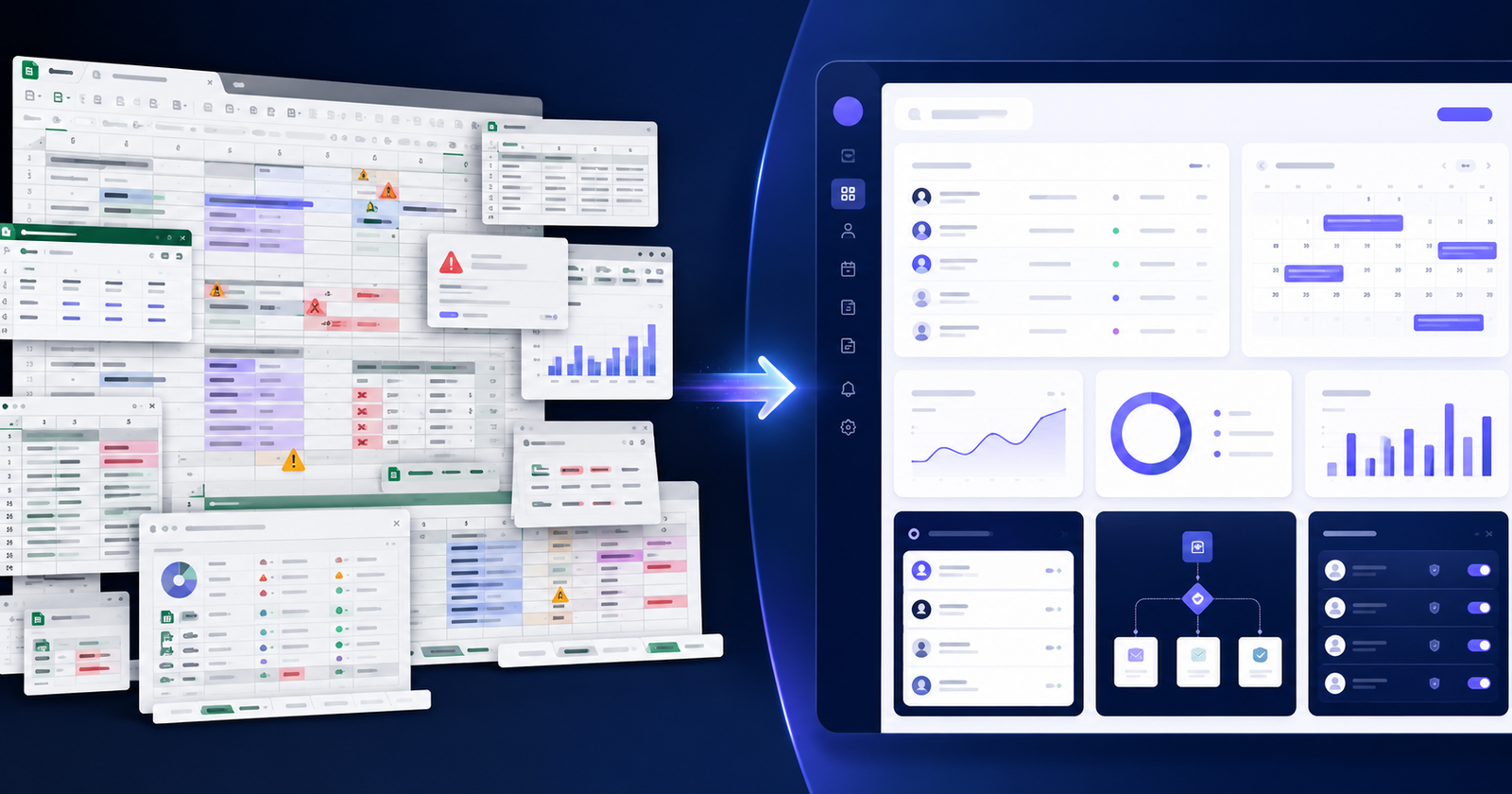
Picture a growing company where customer details live in one spreadsheet, bookings sit in another, staff schedules are tracked in a third, and the monthly report only comes together because one person on the team understands how all the formulas connect. Everything technically works—until someone edits the wrong cell, a formula breaks, or that one person goes on vacation.
If that sounds familiar, you're not doing anything wrong. Excel and Google Sheets are excellent tools. They're fast, flexible, and cost almost nothing to start with, which is exactly why so many businesses build their early operations on them. The trouble starts later, when a simple tracking sheet quietly turns into the system your whole business depends on.
This article will help you recognize the point where spreadsheets stop being a helpful tool and start becoming a business risk. We'll walk through seven clear signs that your operations may have outgrown Excel, look at your realistic options, and explain when it makes sense to replace spreadsheets with custom software—and when it doesn't.
When Should a Business Replace Spreadsheets With a Custom Web Application?
A business should replace spreadsheets with a custom web application when a critical process involves multiple users, sensitive data, repeated manual work, or connections to other systems. If errors, version confusion, or reporting delays are costing real time and money, a purpose-built web app usually delivers more reliability and control.
When Does a Spreadsheet Become a Business Risk?
There's a meaningful difference between using a spreadsheet and depending on one. Using a spreadsheet to model a budget, run a quick calculation, or track a short list is exactly what the tool was built for. Depending on a web of interconnected spreadsheets to run your daily operations is a different situation entirely.
When spreadsheets become the operating system of your business, the small weaknesses that never mattered before start to add up. A misplaced decimal or a dragged formula creates human error that no one notices until a report looks wrong. Files get copied, and now you have duplicate records and outdated information floating around. Because sharing controls are limited, the same document holds pricing, customer data, and staff details with no real way to separate who sees what.
On top of that, most spreadsheet-based operations rely on manual processes: someone has to copy, paste, clean, and reconcile data by hand. There's poor visibility into what's actually happening across the business, and a general lack of integrations means your tools don't talk to each other. None of these issues are dramatic on their own. Together, over time, they quietly slow your business down and increase the chance of a costly mistake.
Here are the seven signs to watch for.
Sign #1: Your Team Is Working From Different File Versions
You ask three people for the latest customer list and get three different files. One was emailed last Tuesday, one was downloaded and edited offline, and one is a duplicated Google Sheet someone made "just to be safe." Now nobody is sure which version is correct.
This is one of the most common symptoms that a business has outgrown spreadsheets. When multiple copies exist, decisions get made on outdated numbers, work gets repeated, and customers get contacted with information that's no longer accurate. The cost isn't just the wasted time—it's the erosion of trust in your own data.
A custom web application solves this by creating a single, central source of truth. Everyone logs into the same system and sees the same live information, updated in real time. There are no attachments to reconcile and no "final_v3_USE_THIS_ONE" files. One record, one place, always current.
Sign #2: Reporting Requires Hours of Manual Work
If preparing your weekly or monthly report means someone exports data, cleans it up, fixes broken formulas, and stitches together numbers from several tabs, you're paying for the same tedious work over and over. That's time your team could spend on actual analysis or customer-facing work.
Manual reporting is also where mistakes creep in. Each copy-and-paste step is a chance to grab the wrong range or overwrite something important. And because the process is slow, reports are often already out of date by the time anyone reads them.
A custom dashboard changes the equation. Instead of building a report by hand, your key metrics—sales, inventory levels, project status, revenue, whatever matters to you—are calculated automatically and displayed in real time. You open the dashboard and the current picture is simply there. This is one of the clearest cases where moving from a spreadsheet to a web application pays for itself in recovered hours. [Internal link: Business Process Automation service page]
Sign #3: The Same Data Is Entered Into Multiple Systems
Watch how information moves through your business. A new order might get typed into a spreadsheet, then re-entered into your accounting software, then added to your CRM, then updated in an inventory tool. That's the same data entered four times, by hand, with four chances to introduce a typo.
Duplicate data entry is one of the biggest silent time-drains in growing companies. It's slow, it's frustrating, and it guarantees your systems will eventually disagree with one another.
A custom application can connect your existing tools through APIs so information flows automatically. Enter an order once, and it updates your accounting, inventory, and customer records without anyone lifting a finger. This kind of automation removes a whole category of mistakes and frees your team from copy-paste busywork. [Internal link: API Integration Services page]
Sign #4: You Cannot Properly Control Access to Sensitive Information
Spreadsheets weren't designed for fine-grained access control. When a single file contains customer information, pricing, employee records, and financial data, sharing it with anyone means sharing everything—or building fragile workarounds with hidden tabs and protected cells that rarely hold up.
Custom web applications support role-based permissions, which is a straightforward idea: different people get different levels of access based on their role. An administrator might see everything, a manager sees their team's data, a staff member sees only what they need for their tasks, and a customer or supplier sees just their own account. Everyone works from the same system, but each person only sees what's appropriate for them.
One honest caveat: custom software is not automatically secure. Security comes from how the application is designed, developed, tested, maintained, and hosted. Done properly, it gives you far better control than a shared spreadsheet ever could—but that control has to be built and maintained deliberately. [Internal link: Custom Web Application Development service page]
Sign #5: Your Business Depends on One Spreadsheet Expert
Many businesses have that one person—the one who built the master spreadsheet, knows where every file lives, wrote the macros, and understands why cell G47 references a hidden tab from 2021. As long as they're around, everything runs smoothly.
The problem is what happens when they're not. If that person is sick, on holiday, or leaves the company, a critical part of your operations can grind to a halt. Nobody else knows how the pieces fit together, and reverse-engineering someone else's spreadsheet under pressure is a miserable experience.
A well-built, documented custom system reduces this dependency. Workflows are standardized, logic is built into the application rather than hidden in formulas, and the knowledge lives in the system instead of in one person's head. Your business becomes more resilient and less exposed to a single point of failure.
Sign #6: Your Spreadsheet Is Becoming Slow, Fragile, or Difficult to Maintain
Spreadsheets give off warning signs when they're being pushed past their limits. The file has grown huge and takes ages to open. Formulas have become so complex that no one fully trusts them. References break when someone inserts a row. There are dozens of tabs, temperamental macros, and constant accidental changes because the whole thing is one wrong click away from chaos. Importing new data has become its own stressful ritual.
These aren't just annoyances. They're a sign that your business process has become more complex than a spreadsheet was ever designed to handle. When you find yourself spending more time maintaining the tool than getting value from it, the tool has become the bottleneck.
At that point, a purpose-built application—with a proper database, data validation, and a structure designed around how your business actually works—stops these problems at the source.
Sign #7: Customers or Employees Need Self-Service Access
Think about how often people outside your core team need something from your data. A customer wants to check the status of their order. An employee needs to view their schedule or submit a timesheet. A supplier wants to see current stock levels. A contractor needs to download a document or update their progress on a job.
If your answer to each of these is "email them a spreadsheet" or "have someone respond manually," that approach won't scale. Every request becomes a task for your team, and sharing spreadsheets externally raises obvious accuracy and privacy concerns.
Custom web applications handle this through self-service access. Depending on your needs, that could be a customer portal for order tracking, an employee dashboard for schedules and requests, a booking system for appointments, a supplier portal for inventory, or a project dashboard for status updates. People log in, get exactly what they need, and your team stops acting as a human help desk.
What Can Replace a Business Spreadsheet?
Custom development isn't the right answer for every situation. The best solution depends on how complex your process really is. Here are the main options, from simplest to most involved:
Improved spreadsheet processes. Sometimes you don't need a new tool—you need better discipline. Locking down key cells, adding data validation, and agreeing on a single shared file can solve a surprising number of problems for small teams.
Spreadsheet templates. Standardized, well-structured templates bring consistency and reduce errors, especially when several people work with the same kind of data.
Airtable and similar database tools. These sit between spreadsheets and full applications. They offer a friendlier structure, basic relationships between records, and simple views—a good fit when you've outgrown a flat sheet but your needs are still fairly standard.
No-code platforms. Tools that let you build simple apps and automations without programming. Great for quick internal tools and testing ideas, within their limits.
Off-the-shelf business software. For common needs like accounting, CRM, or project management, established products may cover everything you need without any custom work.
Custom web applications. The right choice when your workflows are unique, several systems need to connect, permissions are complex, or the software is central to how your business operates. [Internal link: Custom Software Solutions page]
Excel or Google Sheets vs Custom Web Application
| Factor | Excel / Google Sheets | Custom Web Application |
|---|---|---|
| Number of users | Best for a few | Built for many |
| Real-time collaboration | Limited | Native and reliable |
| Data validation | Basic | Strong, rule-based |
| Role-based permissions | Very limited | Fully configurable |
| Workflow automation | Minimal (macros) | Built to purpose |
| Integrations | Manual or add-ons | Via APIs |
| Reporting | Manual updates | Real-time dashboards |
| Audit history | Basic version log | Detailed activity tracking |
| Customer access | Not practical | Portals and self-service |
| Scalability | Degrades with size | Designed to grow |
| Maintenance | Easy at first | Ongoing but managed |
| Custom business rules | Hard to enforce | Fully supported |
The table isn't meant to make spreadsheets look bad. For a small, simple process with a couple of users, Excel or Google Sheets is often the smarter, cheaper, and faster choice. A custom application earns its place only when complexity, users, and business risk grow beyond what a spreadsheet can comfortably carry.
What Type of Custom Web App Could Your Business Need?
Custom applications aren't one-size-fits-all. Here are common types and the problem each one solves:
An internal operations dashboard brings scattered data together so leadership can see the state of the business at a glance. A custom CRM replaces messy contact spreadsheets with a proper system for tracking customers and deals your way. An inventory management system keeps stock accurate across locations and prevents overselling. A booking management platform handles appointments, availability, and confirmations without back-and-forth emails.
A customer portal lets clients log in to view orders, invoices, or progress. An employee management system handles schedules, records, and requests in one place. An order management system tracks orders from placement to fulfillment. A project tracking platform shows who's doing what and when. An automated reporting dashboard calculates your metrics live, and an approval workflow system routes requests to the right people automatically. [Internal link: Custom Web Application Development service page]
Example: Converting a Spreadsheet Workflow Into a Web Application
The following is a hypothetical example to illustrate how this works in practice.
The original setup. Imagine a service-based company—say, a mobile equipment maintenance firm. Customers live in one spreadsheet, bookings in another, employee assignments in a third, invoices in a fourth, and monthly reports are assembled by hand from all of them.
The operational problems. Bookings occasionally get double-assigned because the schedule and the customer sheet disagree. Invoices are missed when a job isn't copied across. Reporting eats a full day each month. And only the office manager truly understands how it all connects.
The proposed application. A single web app where customers, bookings, staff assignments, and invoices live in one connected database.
User roles. Administrators manage everything; office staff handle bookings and invoicing; field technicians see only their assigned jobs on mobile; customers get a portal to request service and view invoices.
Automation opportunities. Confirmed bookings automatically create assignments and draft invoices. Completed jobs trigger invoice reminders. Reports update themselves.
Dashboard features. A live view of today's jobs, unassigned bookings, overdue invoices, and monthly revenue.
Possible integrations. Accounting software for invoicing, email for confirmations, and payment processing for online payments.
Expected benefits. Fewer scheduling errors, no missed invoices, near-instant reporting, and a business that no longer depends on one person's spreadsheet knowledge. [Internal link: Laravel Development Services page]
Should You Choose No-Code Software or Custom Development?
Both paths are valid. The right one depends on your situation.
No-code may be the better choice when your workflow is relatively simple, the number of users is limited, your budget is small, you want to test an idea quickly, and standard integrations are enough. No-code lets you get something working fast and cheaply, which is genuinely valuable early on.
Custom development tends to make more sense when your business has unique workflows that off-the-shelf tools can't accommodate, several systems need to be integrated, you require complex permissions, the application will be customer-facing, and performance and scalability matter. It's also the stronger path when the software may become an important business asset and you want full control over its features and future direction.
A reasonable strategy for many businesses is to start with no-code to validate the concept, then move to custom development once the workflow proves essential and starts hitting the limits of a no-code tool.
How Much Does It Cost to Replace Spreadsheets With a Custom Web App?
There's no honest single price, because cost depends heavily on scope. The main factors include the number of users and user roles, the range of features, and the complexity of your workflows. The quality of your existing data and how much of it needs migrating matters too, as does the number of third-party integrations.
Beyond that, your reporting requirements, design expectations, mobile responsiveness, security requirements, testing, hosting, and ongoing maintenance and support all influence the total. A simple internal tool for a handful of users and a complex, multi-user, customer-facing platform sit at very different points on the scale.
Because of this, a proper estimate usually follows a short discovery phase or requirements workshop, where the goal is to understand your processes before quoting anything. That step protects you from paying for features you don't need—and from underestimating the ones you do. [Internal link: Contact WebtrixCode page]
Questions to Ask Before Replacing Your Spreadsheet
Before you invest in anything, work through this checklist:
- Which spreadsheet processes consume the most time each week?
- Where do errors happen most frequently?
- Who actually uses the spreadsheet, and how?
- What level of access does each user really need?
- Which existing systems should be connected?
- What reports do you rely on, and how are they built today?
- Does historical data need to be migrated, and is it clean?
- Will customers, suppliers, or contractors need access?
- Which manual tasks should be automated first?
- Which features are truly essential for a first version?
Answering these honestly will tell you a great deal—sometimes it reveals you need custom software, and sometimes it shows a lighter fix will do.
Conclusion
The goal here isn't to talk you out of spreadsheets. Excel and Google Sheets remain fantastic tools for simple, small, and early-stage work, and plenty of your processes should probably stay right where they are. The point is to recognize the moment when a specific, business-critical process has quietly become too important, too complex, or too risky to keep running on a spreadsheet.
When you start seeing several of the seven signs above—version confusion, endless manual reporting, duplicate data entry, weak access control, dependence on one expert, a fragile file, or unmet self-service needs—that's your cue to consider something more reliable and scalable.
Is your business running on spreadsheets? Walk us through your current workflow, and WebtrixCode can help you figure out which processes are fine to keep in Excel, which ones can be automated, and whether a custom web application would deliver real, measurable value. It's a practical conversation, not a sales pitch. [Internal link: Contact WebtrixCode page]